Tuesday, 20 March 2012

Disc Research

As we are doing a paramore song, I typed in 'Paramore CD' into google just to see the kind of thing that they did with their digipaks, etc. The picture on top is the front cover of their latest album, and the photo below is a mash up of their 'Brand New Eyes' album and their 'Riot' album to create phone wallpaper. I happened to come across this and had the idea of repeating something over again, like a recurring theme of some sort. Although it is a wallpaper, we can still use the technique of repetition to create something interesting and different.

The Rihanna CD to the left shows the CD cover and the disc itself. When researching into CD's and their designs, I realised that most CD's do not have a photograph on and have some sort of simple pattern or design.


The CD to the left is part of the digipak of The Script. As you can see, the CD is consecutive with the front cover of the CD, with the same design. Also, it has a design rather than a photo, which seems to be the most popular way of designing a CD.

After researching into these CD designs, I think I have decided to use some sort of design on the CD that links in with the front cover of the digipak, instead of using a completely different photograph. The contiunity is profoud in this example and I think it looks a lot more effective that using a completely different design.

Monday, 19 March 2012

Magazine Advert Research

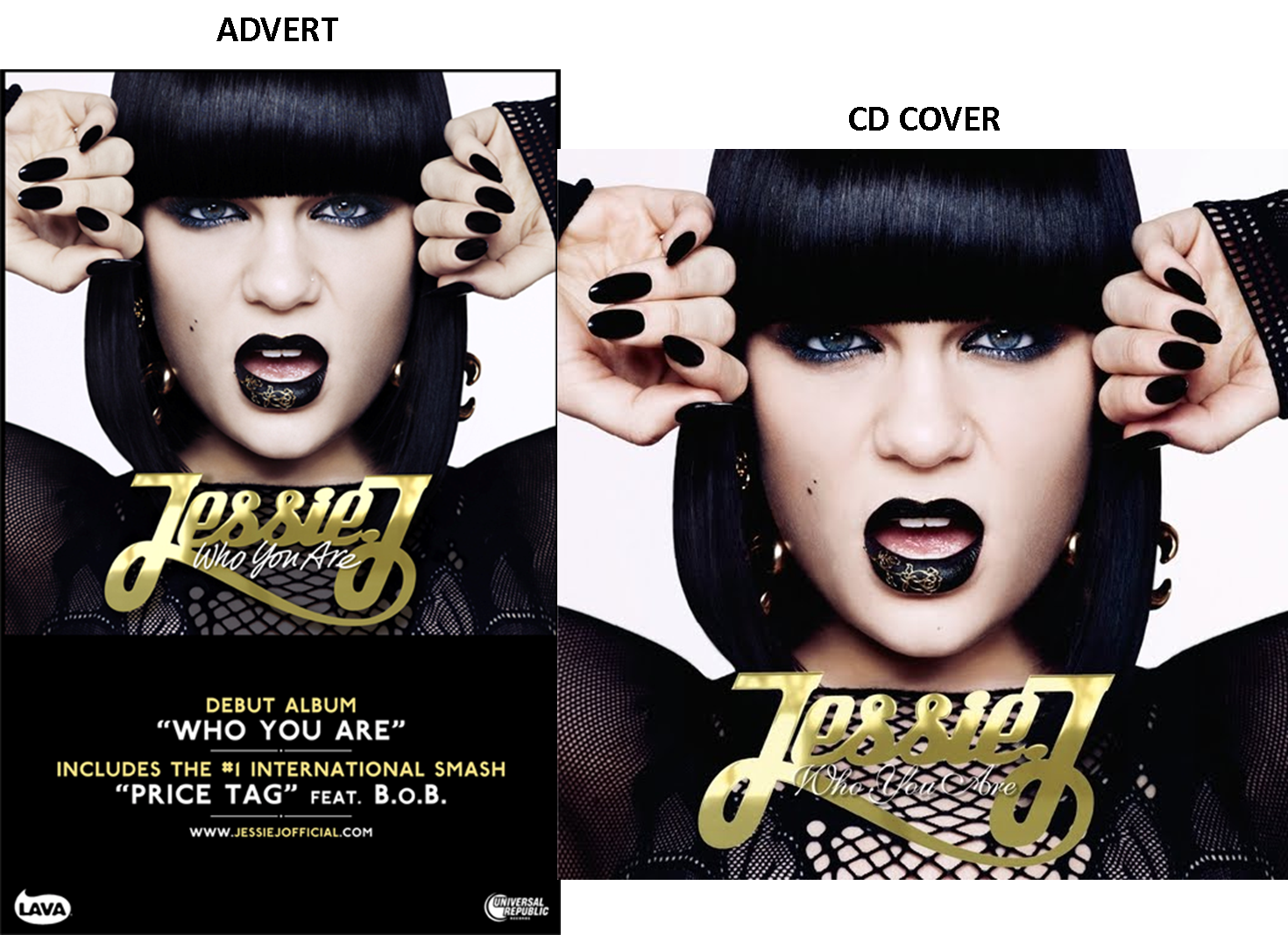
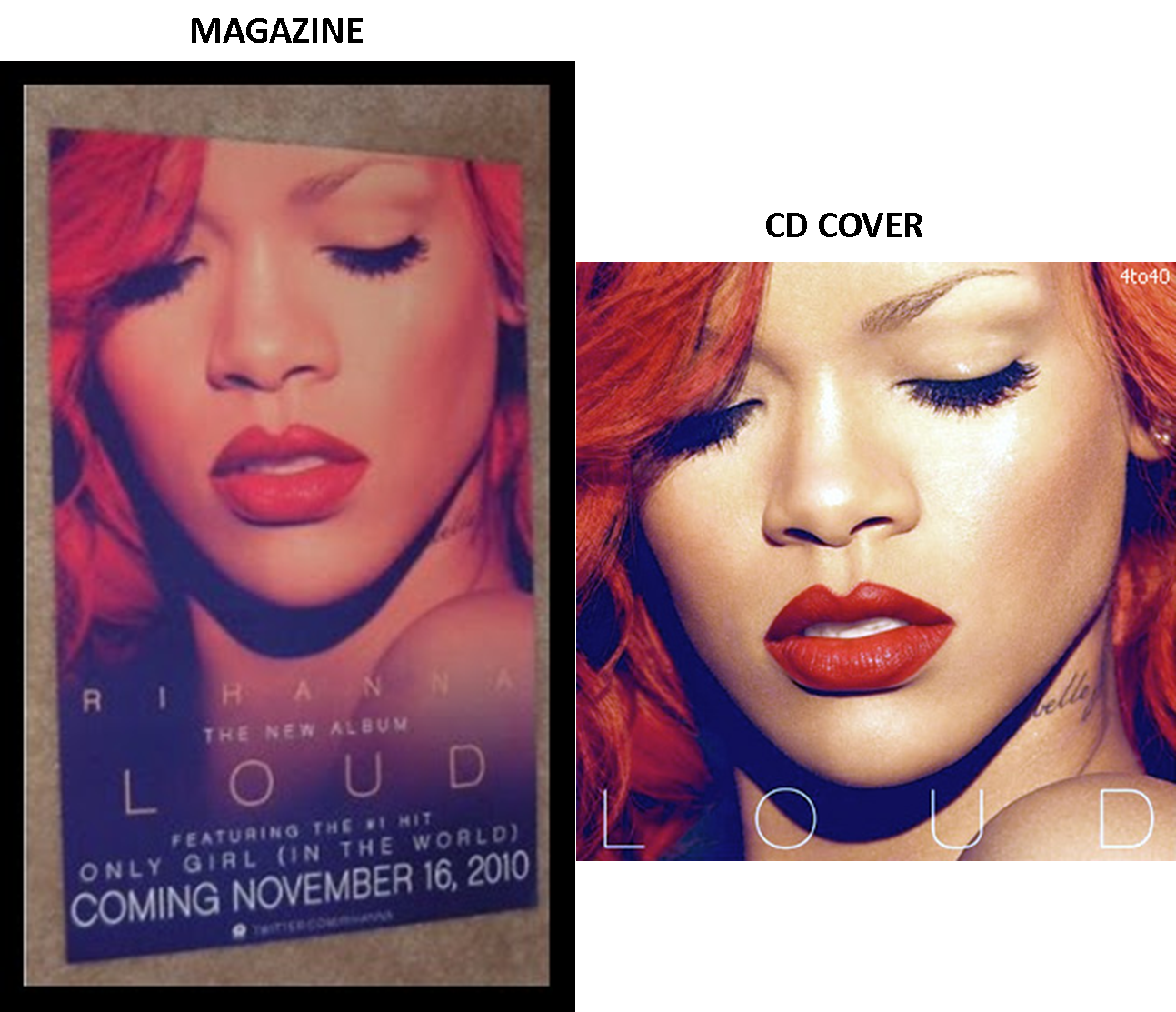
When creating our magazine advert, we did a little research into what picture we should use to link in with the digipack. After some research, we have concluded that most album adverts are advertised using the photo on the front of the album cover. This is something we will take into full consideration when creating our own magazine advert.

All three of these examples include the name of the album, the same colours (like the Jessie J one has a consecutive colour of gold and black), websites in which you can go onto to get details of the artist and most importantly the release date. The Rihanna advert has in big bold letters at the bottom clearly showing when the album will come out. I have realised that there has to be a direct link between the advert and the CD for it to look consecutive and professional.


CONCLUSION

After researching into these posters, I have figured out these few things:

1) The poster almost always has the same photograph on it as the front cover of the digipack.
2) The colours are consecutive and reflect the digipack
3) The date or the 'out now' font is always present on the poster.
4) There is always some sort of reference to other media concerning the artist, like a twitter account or myspace account.
5) More times than none, the font is always consecutive to the digipack.
6) The name of the album is always present on a poster.


Monday, 12 March 2012

Back of CD development

From left to right:

I started off by putting the photograph on the far left because it looked best that way. I felt that after I had put down the names of the songs and the barcode, etc, that something was needed in the top right hand corner. I tested putting a big swirly blob in the corner just to give it an extra something but after looking at it for some time, I didn't think it looked as good as it does without. The last two examples have been changed slightly from the others. My group members alerted me that the top example does not have much continuity with the front cover because the colour looks too bright, so we lassooed the eyes and the lips so they werent involved in the dulling of the photograph as a whole and as you can see both photos look more similar now:

Tuesday, 6 March 2012

Developing the Inside and Back Cover

This is the photograph that I have decided to use for the inside cover of our digipack. The photo in the far left is the original, I then cut out the right side which showed behind the sheet to make it mash in with the white sheet. I made her look a little brighter so that he skin matches the flawlessness of her skin on the front cover of the CD.
The two photos below are to show the link between the colour I have chosen for the writing on the inside cover of our digipack. I lassood her lips and eyes to keep the colour of them whilst I brightened up the rest of the photo. I also made the lips and eyes brighter to give more of an effect. The font I've chosen for the writing on the inside cover is exactly the same as the font of 'IGNORANCE' on the front cd cover which is being displayed underneath this photo. I wanted to keep a sense of continuity through the fonts and colours, hence why I have used the colour of the lips throughout.

Creating the digipack: CD COVER

 I began first by deciding on a font. The font I have used for 'Elle' is a font I found in the photoshop font book. The research I have done into fonts from 'dafont' were too difficult to acquire, so I have resulted into using simple fonts from photoshop. I have come up with a collaboration of colours in order to show different ways of displaying the font. The top left font is blue like her eyes, however I find this rather hard to read as the background is also a light blue. The font on the top right matches the colour of her hair which I actually think worked quite well. The bottom left font is black to match her dress, which is my favourite because it does not clash with her hair or the background and the bottom right matches her lips which I also think works rather well as there is a clear connection but it does not clash with the colours already there.

After deliberating the font for 'Elle', I moved on to begin playing around with the colour for the name of the album: 'Ignorance'. The top left one is black like 'Elle', which I think personally looks a little boring. Top right is the colour of her hair, which again I believe clashes with her hair too much. Bottom left is the colour of her eyes which I think is almost unreadable due to the very light blue background behind her. Bottom right is my favourite, which is the red font displaying the word 'Ignorance', matching perfectly with her lips and is easy to read.

Monday, 20 February 2012

Beginnings Of CD Cover

To start with, I have created a mash up of photographs that Sarah, Zoe and Sarah have taken for our ancillary tasks. As I have not been able to attend most recording sessions, I have taken it upon myself to begin the ancillary tasks. We wanted Ellie to look moody in most of these photographs which I think we have done rather well. We also tried a crazy kind of shot to mimick our research into Kesha, who usually goes for that sort of style.


USING PHOTOSHOP: CD COVER.

I have begun to photoshop the first photograph of Ellie, which I believe would work best on the CD cover. At first, I triedbright colours, wanting her to look vibrant. But after playing around with photoshop for sometime, I decided to make her look rather icy. In the lower photos of this example, I have made the photo a little less vibrant and less saturated. The whole photo went rather pale at this point, so to add clarity, I lassooed Ellie's lips to keep them the same vibrant red that they were in the original photo and also lassooed her eyes to give them a more dazzling blue colour.